Dojo card machines process payments 58% faster than the market average, according to an independent study by Savanta (2023). Whether you’re a new business owner or looking to upgrade your payment system, we understand that speed and efficiency are crucial for your day-to-day operations.
Additionally, Dojo card machines offer transaction fees as low as 1% and provide next-day payouts seven days a week at no extra cost. In fact, this 24-hour turnaround beats competitors like Zettle, SumUp, and Clover, which might take two to three days to process payments. Not only do these machines come with a built-in SIM card for 4G connectivity when Wi-Fi isn’t available, but they also offer the security and reliability your business needs.
In this guide, we’ll walk you through everything you need to know about using a Dojo card machine – from choosing the right model for your business to setting it up, processing different types of payments, and maximizing its features for your specific needs.
Choosing the right card machine for your business
Selecting the perfect card machine involves understanding the distinct features each model offers. Let’s explore Dojo’s lineup to help you make an informed choice for your business needs.
Dojo Go vs Dojo Pocket vs Dojo Wired
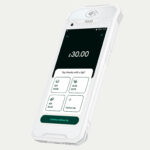
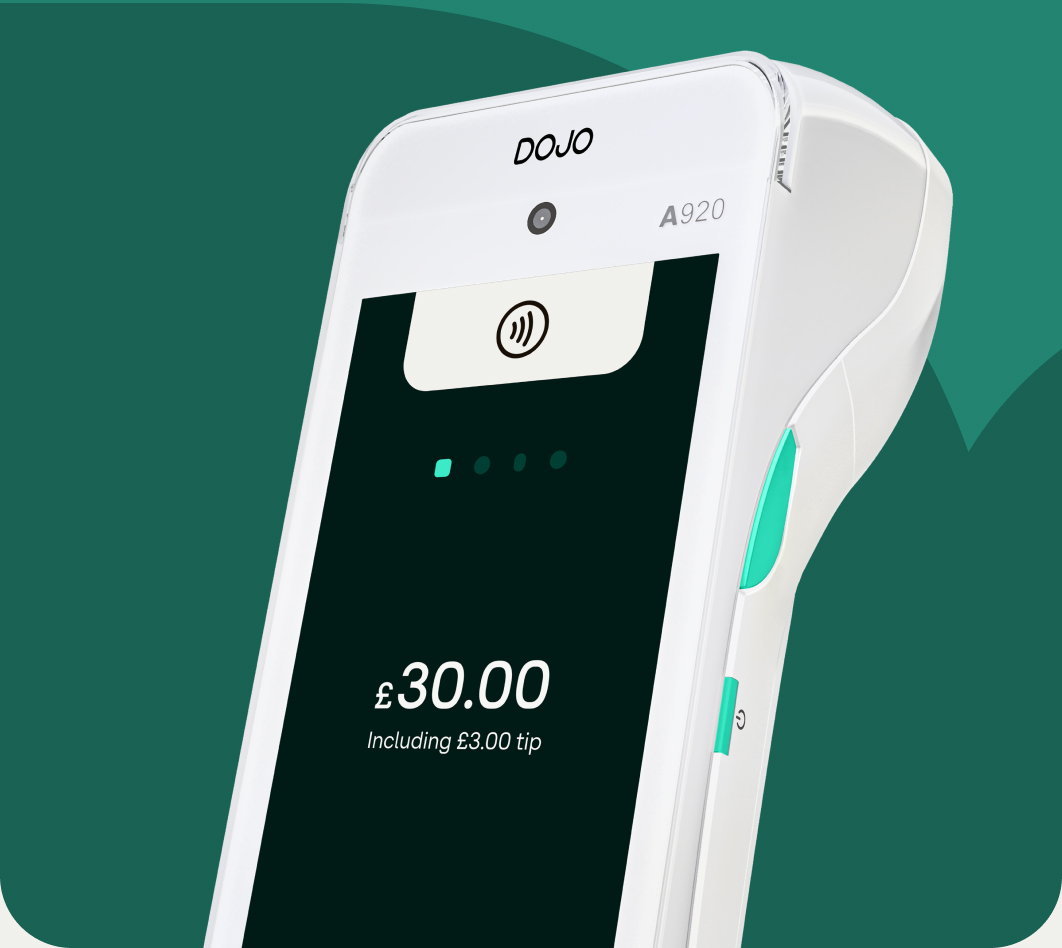
The flagship Dojo Go stands out with its 5-inch HD touchscreen interface and processes transactions over 50% faster than industry standards. This versatile device comes equipped with a 5250mAH Li-ion battery providing impressive 10-hour operation. Moreover, it includes a built-in thermal printer for immediate receipt generation.
Meanwhile, the ultra-lightweight Dojo Pocket, a compact dojo card machine, weighs just 143 grams, making it significantly more portable. It offers 8 hours of operation with its 3500mAh battery and focuses on digital alternatives for receipts through email and QR code options to reduce paper waste.
For stationary checkouts, the Dojo Wired provides a reliable countertop solution connected via ethernet, freeing up valuable counter space while reducing device damage. Unlike its portable counterparts, it requires no charging since it’s permanently connected.
What to consider before choosing a model
First, evaluate your payment environment. Where will you take payments most often? Is it at a fixed counter, around a restaurant floor, or on the go at markets and events?
Furthermore, examine your transaction volume since different machines have varying processing speeds. Both portable Dojo models excel with dual connectivity options automatically connecting to Wi-Fi networks or switching to 4G when needed, ensuring 99.99% uptime.
Security remains paramount all Dojo card machines incorporate point-to-point encryption (P2PE), considered the world’s best payment security standard. This technology safeguards customer card data throughout the transaction process.
Lastly, consider integration capabilities with your existing systems. Semi or fully integrated card machines communicate with corresponding ePOS terminals, eliminating manual entry errors and saving valuable time.
Who each model is best suited for
The Dojo Go serves as the perfect solution for versatile businesses across various sectors. It’s especially valuable for quick-service restaurants that need to power through queues and track payments across locations.
The ultra-portable Dojo Pocket excels for businesses requiring maximum mobility ideal for market traders, food trucks, or mobile service providers who need to boost revenue and streamline service on the move.
The Dojo Wired works best for fixed checkout locations such as retail stores or takeaways that primarily offer counter service. Its stable connectivity through ethernet makes it perfect for businesses with stationary checkouts that require reliability without battery concerns.
Setting up your card machine
Once you’ve selected the ideal Dojo card machine for your business, setting it up properly ensures smooth payment processing from day one. Getting your device ready takes just a few minutes if you follow these straightforward steps.
Unboxing and initial setup
Upon receiving your Dojo card machine, carefully unpack the box and check that all components are included. Depending on your model, you’ll typically find:
- The card terminal itself
- Charging cable and power adapter
- Receipt paper roll (for models with built-in printers)
Initially, charge your device fully before first use. For portable models like the Dojo Go and Dojo Pocket, connect the charging cable to a power source. The Dojo Wired model will simply need to be connected to its power adapter and ethernet cable.
Connecting to Wi-Fi or 4G
For optimal performance, establish a stable internet connection. Dojo card machines offer dual connectivity options:
Wi-Fi setup is typically straightforward navigate to the terminal’s settings menu, select “Communications” or “Network Settings,” then choose Wi-Fi. Next, select your network from the available options and enter your password.
If Wi-Fi isn’t available, your Dojo device will automatically switch to 4G connectivity thanks to its built-in SIM card, ensuring 99.99% uptime for your payment processing.
Activating your device with a code
Prior to processing payments, you’ll need to activate your terminal. Upon first startup, the device will prompt you for an activation code. This unique code is sent to the primary account owner’s email address when your account is set up.
If you can’t locate this email, check your spam folder. Should you still have trouble finding your code, contact Dojo support for assistance.
Switching between integrated and standalone modes
Depending on your business needs, you may want to switch between integrated mode (connected to your POS system) and standalone mode (operating independently).
To switch to standalone mode on compatible devices, press the function key together with the number 2, then enter the access code (0240 in most cases) and press enter. Following this, select the appropriate option from the menu.
For touchscreen models, access the settings menu, typically by tapping the hamburger menu icon, then select “Standalone” from the available options. This flexibility allows you to adapt your payment processing setup as your business requirements evolve.
How to take payments using a card machine
Taking payments is remarkably straightforward once your Dojo card machine is properly set up. Let’s explore the various payment methods your device can handle efficiently.
In-person payments: contactless and chip & PIN
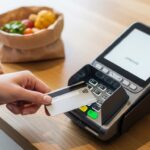
Contactless payments have become increasingly popular, with 83% of people in the UK using this method. For transactions under £100, customers simply tap their card, phone, or smartwatch on the reader. The chip and antenna securely transmit payment details wirelessly to your terminal, completing the transaction within seconds.
For payments exceeding the contactless limit, chip and PIN remains essential. This method dramatically reduces fraud counterfeit losses on UK-issued cards fell from £110.6 million in 2003 to just £8.7 million in 2020. Your customer inserts their card into the machine, which reads their information before prompting them to enter their 4-digit PIN. Subsequently, the encrypted data travels to your merchant account for authorization.
Processing refunds
When a customer requests a refund, follow these steps on your Dojo card machine:
- Navigate to the refund option in your terminal’s menu
- Select the transaction to refund
- Enter the refund amount
- Request the original payment card
- Have the customer sign the receipt if required
Refunds typically take 2-7 business days to process and another 2-7 days to appear in the customer’s account.
Taking payments over the phone
For remote transactions, your Dojo card machine offers card-not-present processing. During a phone call, manually enter the customer’s card details including the card number, expiration date, and CVV code into your virtual terminal or card machine. Double-check all information before finalizing the transaction.
Sending digital or printed receipts
Afterward, provide your customers with documentation of their transaction. For printed receipts, most Dojo machines include built-in thermal printers that require no ink only thermally-sensitive paper. Alternatively, offer digital receipts via email or SMS by collecting the customer’s contact information. This eco-friendly option reduces paper waste while providing customers convenient transaction records they can easily store and reference.
Key features and tools to know
Mastering your Dojo card machine requires understanding its core capabilities beyond basic payment processing. These features enhance your business efficiency and customer experience.
Battery life and charging
Portable Dojo card machines offer impressive battery performance with a single charge supporting 800+ NFC transactions or 1200+ contact transactions. The Dojo Go delivers approximately 10 hours of operation through its powerful 5250mAH Li-ion battery, whereas the lighter Dojo Pocket provides 8 hours of continuous use. For optimal performance, a full charge typically takes about 2 hours.
Connectivity options
Versatile connectivity remains essential for modern businesses. Your Dojo terminal supports dual connectivity automatically switching between Wi-Fi and 4G cellular networks. This redundancy ensures 99.99% uptime, preventing revenue loss due to connection issues. The Dojo Wired model, conversely, relies on stable ethernet connection, eliminating battery concerns altogether.
Security and PCI compliance
Every Dojo card machine incorporates robust security measures including point-to-point encryption (P2PE). This industry-leading technology protects cardholder data throughout the entire transaction process. PCI DSS compliance is mandatory for all businesses processing card payments, with security features like EMV chip support, contactless payment capability, and end-to-end encryption built directly into your device.
Using the Dojo app for real
The complementary Dojo app transforms your smartphone into a powerful business management tool. Through it, you can monitor transactions in real-time, analyze sales patterns, and generate detailed reports. Additionally, the app enables you to issue refunds, send digital receipts, and manage multiple terminal devices from a single interface providing complete control over your payment ecosystem regardless of location.
Conclusion
Adopting a modern payment system like those offered by Dojo represents a significant step forward in streamlining your business operations and enhancing the customer experience. The combination of rapid transaction processing, reliable connectivity, and robust security not only addresses immediate pain points like long queues and slow service but also provides a solid foundation for future growth. By carefully selecting the model that aligns with your specific environment and needs, and utilizing the full suite of features and tools available, you transform a simple card terminal into a powerful asset for your business. This investment goes beyond processing payments—it fosters efficiency, builds customer trust, and ultimately frees you to focus on what matters most: growing your venture and serving your clients